For couples, wedding planners and DJs
Wedding QR app: songs, photos & messages on screen
Guests participate without chaos: they request songs to the DJ (or music lead), send photos and leave dedications on screen. All via QR, with moderation.

You’ve spent hours (and money) on music… and it’s still impossible to please everyone.
Between family, friends, coworkers and “+1s”, someone will feel disconnected from the music. The DJ doesn’t know your guests, and a “perfect” playlist can fall short. The answer isn’t losing control — it’s participation with order.
Real participation — without breaking the flow
Wedding song requests (with control)
Guests request — you (or the DJ) approve.
Wedding guest web app (no downloads)
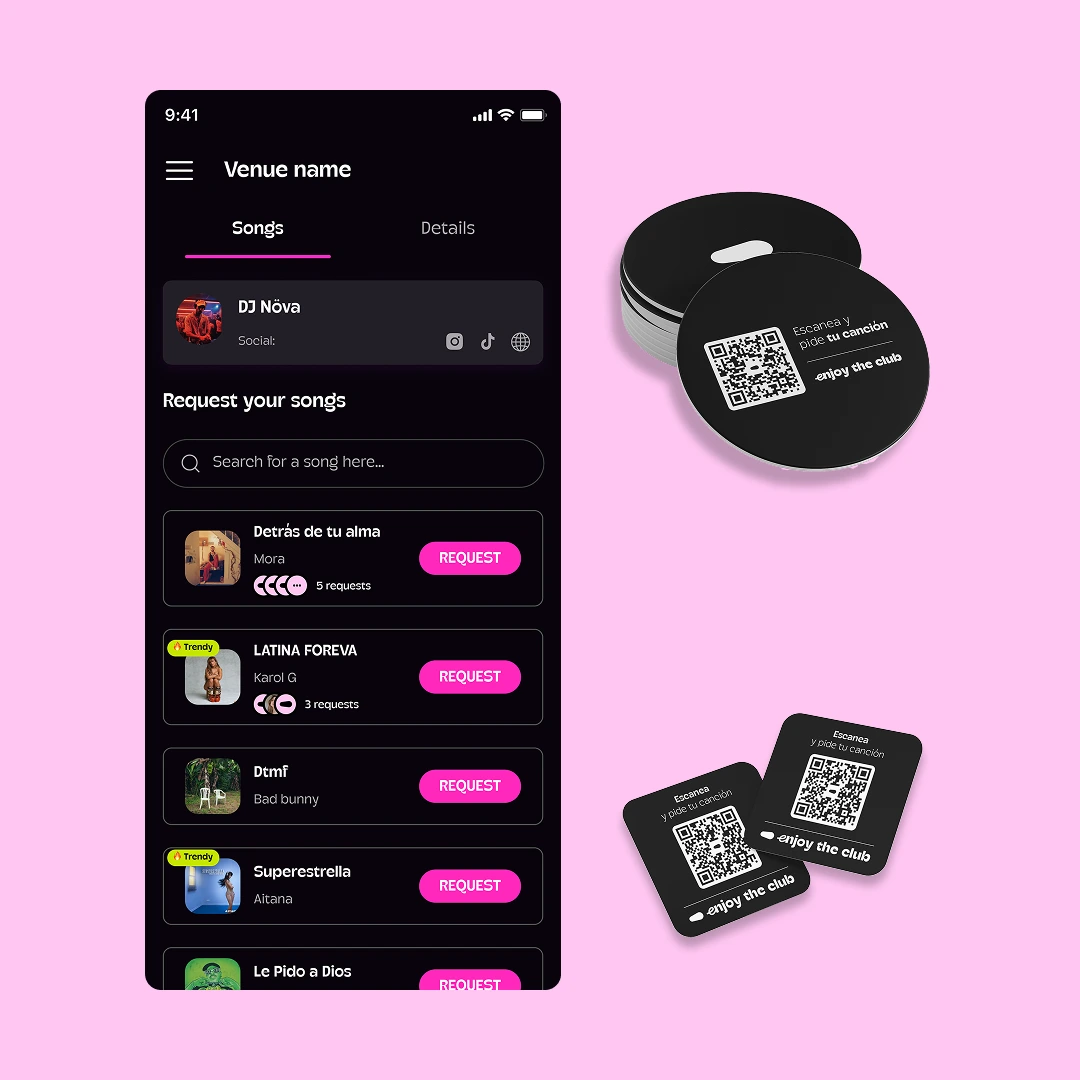
They scan the QR and that’s it.
On-screen messages & dedications
A “wow” moment without a mic or shouting.
Moderation / anti-abuse
Approval and control to keep it classy.
Wedding screens that turn guests into protagonists
Show the QR, approved messages, photos (if enabled) and live dynamics. It’s the simplest way to make the wedding feel alive — without stealing the spotlight.
- QR visible (bar / entrance / dancefloor)
- Dedicated messages (moderated)
- Event content (branding, videos, moments)
- Request queue (if there’s a DJ / music lead)
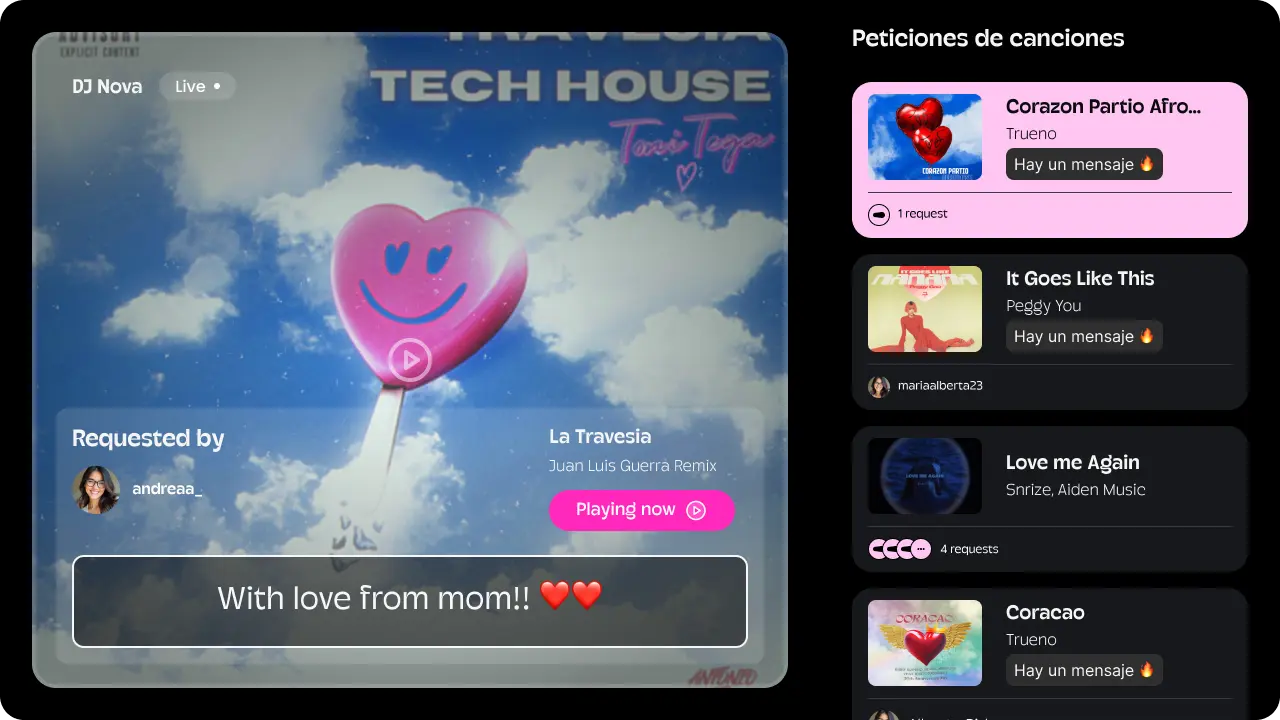
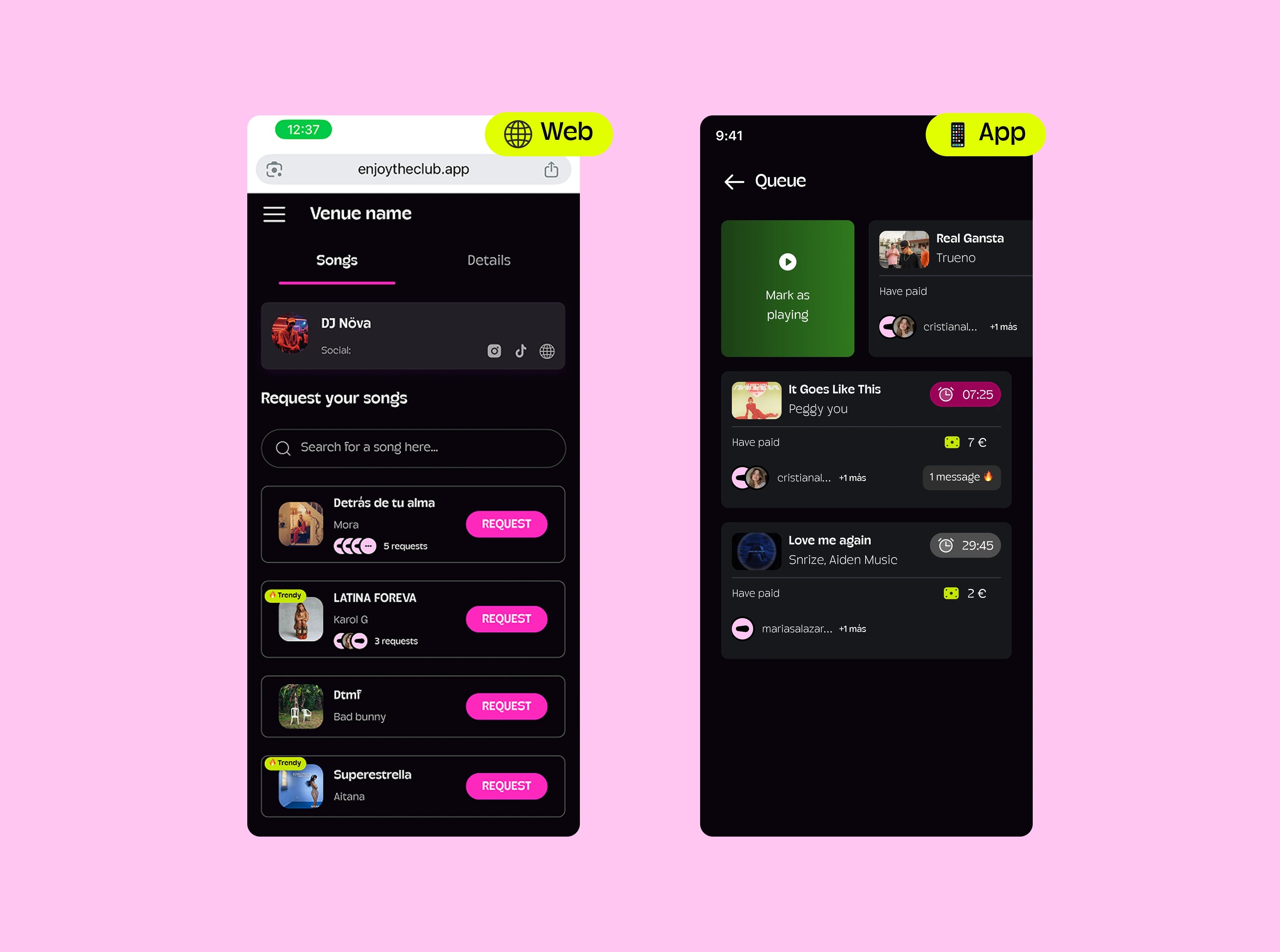
Wedding song requests: the DJ becomes “your DJ”
Guests request what they want to hear — but the DJ keeps control. Result: fewer interruptions, better picks, better atmosphere.
- Approval before it plays
- You can limit by style / “menu”
- Great for cocktail, dinner and party time
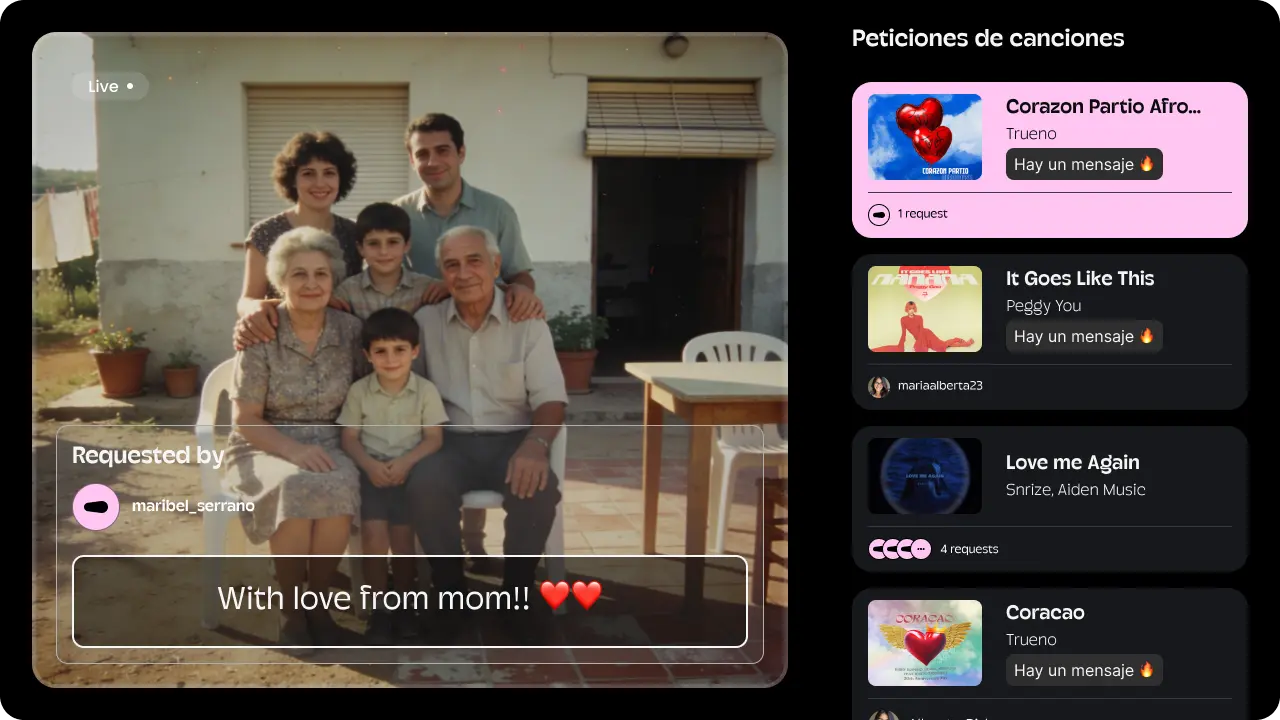
Wedding photos & messages on screen
You already have a screen with a QR, a song request queue, dedications with songs, and a looping video every so often. Now you can also send wedding photos and messages to the screen (without a song), always moderated and approved before showing.
- Send photos and messages to the screen from any phone (no downloads)
- Moderation / approval before showing
- Perfect for dedications, surprises and emotional moments
Available now. We’ll notify you when it’s enabled for your wedding.
How it works at your wedding
-
Step 1
We place the wedding QR where it makes sense (entrance / bar / dancefloor).
-
Step 2
Guests request songs, leave messages and (if enabled) send photos.
-
Step 3
DJ / wedding planner approves and the screen shows the best of the moment.
Wedding guest games (without stopping the party)
Ideas that work because they don’t force anyone — but invite participation.
On-screen dedications: short messages that make people smile.
Song challenge: “2000s anthem”, “college banger”, etc.
Quick votes: “next song”, “toast moment”, etc.
Zone moments: VIP / bar / after.
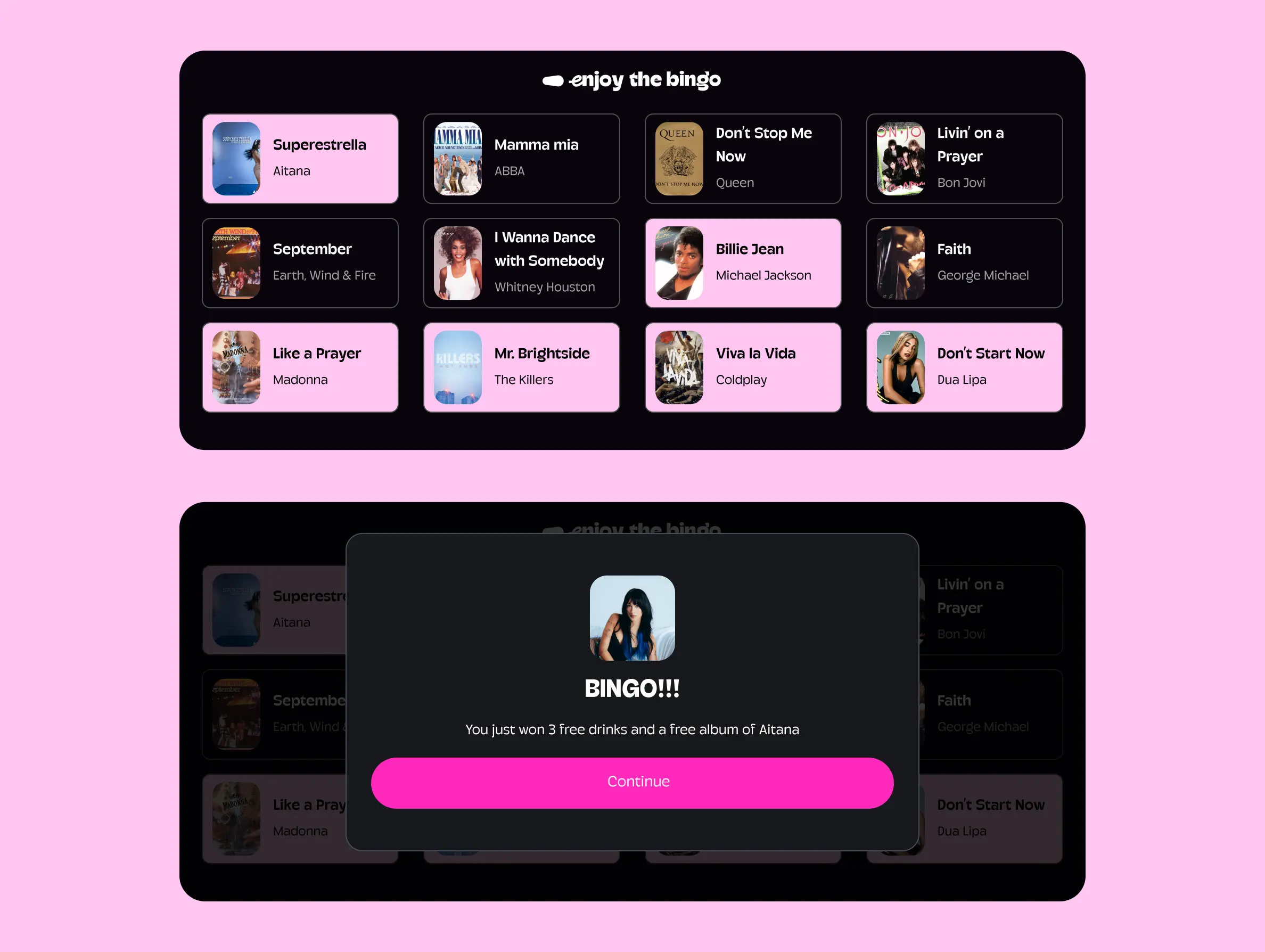
Music bingo for weddings (coming soon)
We’re building wedding music bingo to create a huge participation moment in 10–15 minutes (without the DJ losing control).
For couples, wedding planners and DJs
Couples
Control + participation + memories (music / messages / photos).
Wedding planners
An organized dynamic that “just works” without stress.
DJs
Fewer interruptions, better picks, better vibe.
Do you offer wedding services?
If you're a DJ, wedding planner, audiovisual provider or venue, you can offer Enjoy Wedding as an extra in your weddings and earn commission on each event. Leave us your details and we'll contact you to explain the model and conditions.
Frequently asked questions
Do guests need to download an app?
No. Guests scan the QR and participate from their phone browser.
Can I use it for wedding photos?
Yes — specifically as photos sent to the screen (moderated), not as a photo album.
Can guests send photos and show them on screen?
Yes (when enabled). You can approve before anything appears on screen.
How do you avoid inappropriate messages?
With moderation: nothing shows without approval, and you can block abusive behavior.
Does it work with a DJ and also without a DJ?
Yes. With a DJ, it keeps requests organized. Without a DJ, the music lead or wedding planner can approve and keep control.
Can we limit the type of songs (menu / styles)?
Yes. You can limit by style or run a “menu” so requests stay on-vibe.
What happens if a request is declined?
It simply doesn’t play. The point is participation with control and a final decision by the DJ or music lead.
Make your guests participate (and make the music hit)
Activate it with a QR and choose the level of participation.